A live dashboard as your Mac wallpaper
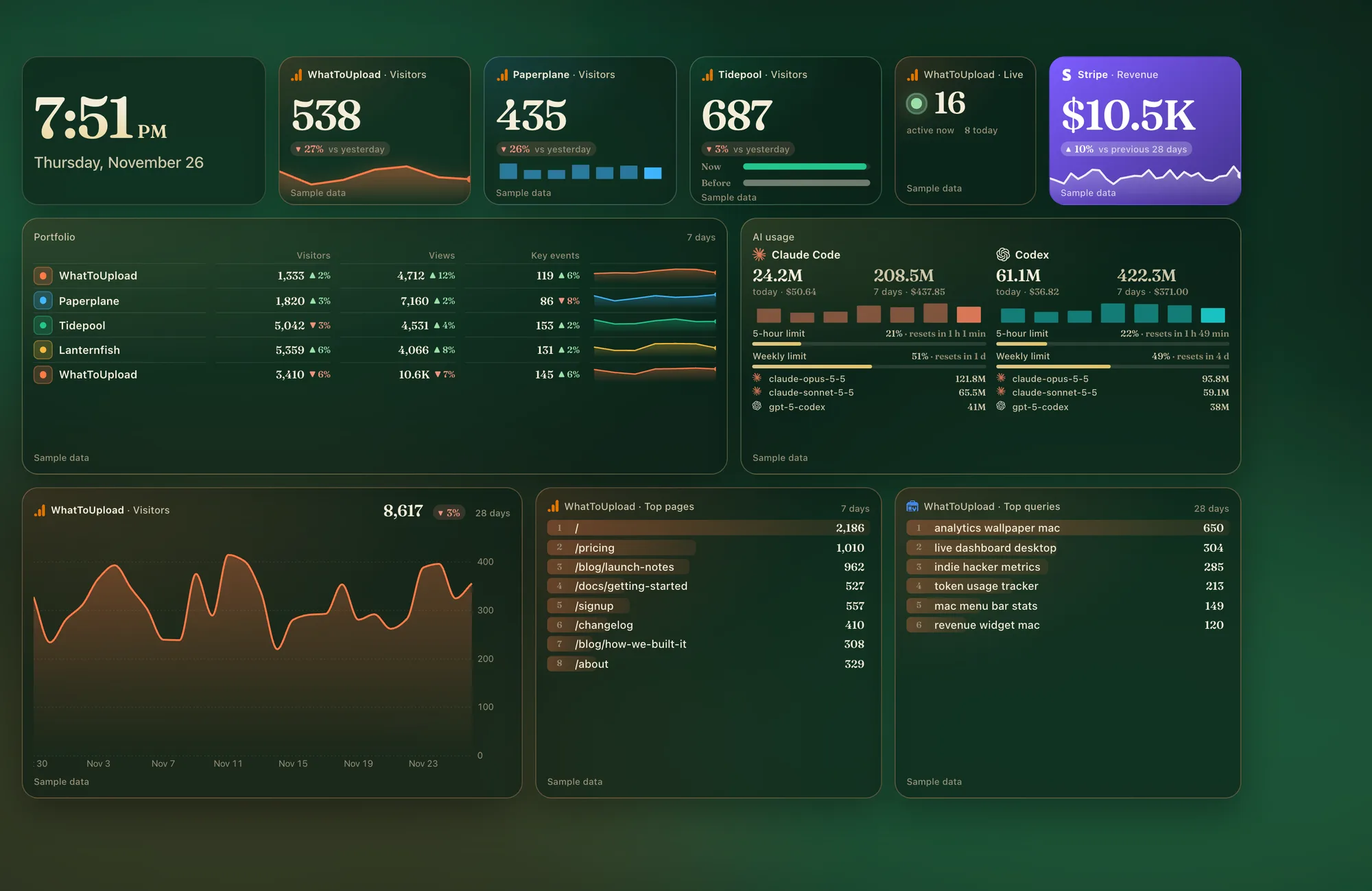
Wallytics replaces the picture behind your icons with a dashboard that keeps itself current. Close a window and the numbers are there.
Where it sits
The dashboard is drawn at desktop level, behind the icons, under the menu bar and above nothing. Your files stay clickable and your windows cover it like any wallpaper.
The layout editor shows the menu bar and the Dock, and lets you keep free space on any side of the screen (left, right, top or bottom) for icons, a widget stack or just your wallpaper. Press ⌃⌥⌘D from any app to reveal the desktop for a proper look; press again and your windows come back.
What goes on it
- Stat tiles: plain, with a sparkline, with bars, as a compare against the last period, or as a filled colour tile.
- Trends as area, line, bars, steps or dots.
- Top lists as bars, a donut or plain rows, with source logos and country flags.
- A portfolio table with one row per product.
- A live count, a goal ring, token usage with limit windows, a clock, a note and an artwork tile.
Start from a template
There are 14 templates, and they differ in structure, not just in colour: Founder morning, Product pulse, Command centre, Chart wall, One number, Scoreboard, Side rail, Ticker, Poster, Indie portfolio, Single product, Revenue first, AI usage and Minimal. Filter them by Founders, Product, Dense, Charts, Minimal, Art or AI.
Side rail is a narrow column down one edge and Ticker is one row along the bottom, for people who want most of the desktop left alone. Any dashboard you build can be saved as your own template.
Where the numbers come from
49 sources in ten groups: web and product analytics, search, revenue, app stores, social and video, email, code and launches, errors and uptime, ads, and AI usage. Each is read from your Mac with a credential kept in the Keychain.
How it stays out of the way
You choose a refresh interval from 1 to 60 minutes, or manual. On battery it refreshes half as often, and in Low Power Mode it pauses.
Measured on the developer's Mac, with the wallpaper live on two displays (a 14 inch MacBook Pro plus an external display) and the app window closed: about 0.6% CPU and about 280 MB of memory. That is one measurement, not a guarantee.
More than one display
Each display gets its own dashboard and its own theme. Put revenue on the big screen and token usage on the laptop.
Questions
Does it replace my wallpaper file?
No. Wallytics draws its own layer at desktop level. Pause the wallpaper in Settings and your normal one shows again; the data keeps refreshing for the menu bar.
Can I still use my desktop icons?
Yes. The dashboard sits behind them, and the editor can keep free space on any side of the screen for icons.
Which macOS does it need?
macOS 13 or later, on Apple silicon and Intel.
Keep reading
Free for 7 days, the full app, no card. Then from $4.99, once.